
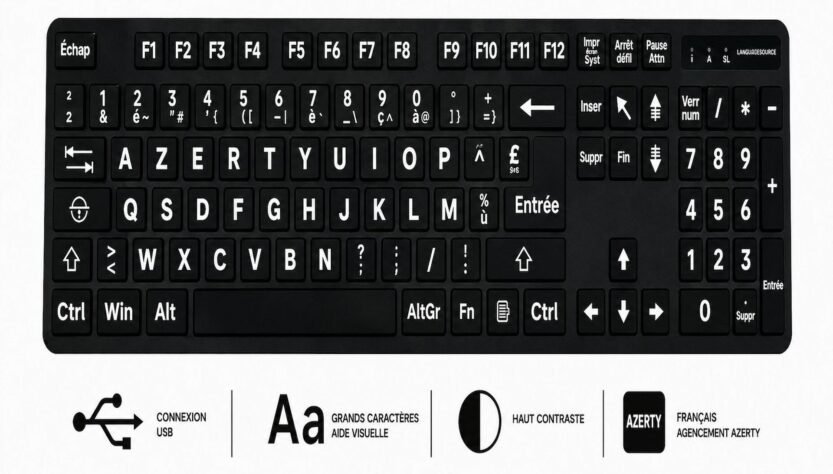
Typing Brazilian Portuguese on a standard QWERTY keyboard often leads to constant key combinations, delayed accents, and frustration during everyday tasks. Cedillas, tildes, and acute accents appear frequently in emails, documents, and online chats, yet many users still rely on awkward workarounds. Dedicated keyboard layouts remove these obstacles and restore natural speed and accuracy for anyone who writes in the language regularly.
A practical solution arrives with a Brazilian Portuguese Keyboard. These units place every necessary character within easy reach, so the Shift and AltGr keys deliver ç, ã, õ and á without memorising sequences. Professionals working with Brazilian clients, students submitting essays and remote teams collaborating across time zones all benefit from the immediate improvement in flow.
Why Standard Layouts Fall Short
Most keyboards sold in the United Kingdom follow the British or American arrangement. Neither includes the full set of Portuguese diacritics in logical positions. Users must hold Alt while typing numeric codes or switch to an on-screen keyboard, both of which interrupt concentration. Over a full working day, the cumulative delay becomes noticeable, and typing errors increase when deadlines press.
Dedicated layouts solve the problem at the hardware level. Keys carry the correct legends, and the underlying mapping matches the official ABNT or ABNT2 standard used throughout Brazil. Once the operating system recognises the device, every application behaves as expected. No extra software drivers are usually required beyond a simple language pack already available in Windows, macOS and Linux.
Physical Comfort and Long-Term Use
The difference extends beyond character placement. Quality units feature properly spaced keys, durable keycaps and reliable USB connectivity. Typists who previously strained to reach distant symbols report less finger fatigue after switching. Consistent tactile feedback also reduces the mental effort of hunting for the right combination, allowing attention to remain on content rather than mechanics.
Choosing the Right Option for Daily Work
Many organisations now equip shared workstations with multilingual hardware. A popular choice is the range of Portuguese Brazilian Bilingual Layout Computer Language Keyboards. These models display both Portuguese and English legends, making them ideal for mixed teams who switch languages several times a day. The bilingual legends eliminate confusion for temporary users while still delivering full Brazilian Portuguese support for regular writers.
Installation remains straightforward. Plug the keyboard into any free USB port, select the Brazilian Portuguese input source in system settings, and the layout activates at once. Stickers can also convert an existing keyboard, although a full dedicated unit offers superior longevity and clearer legends under office lighting.
Supporting Remote and Hybrid Teams
Distributed workforces gain particular advantages. A writer in São Paulo and an editor in Manchester can exchange documents without reformatting or correcting misplaced accents. Contractors who join projects for limited periods receive a ready-made tool rather than spending the first day configuring software. Consistency across machines reduces support tickets and keeps projects on schedule.
Practical Features That Improve Productivity
Look for the following attributes when selecting a keyboard:
- Clear, permanent legends for every Portuguese character, including uppercase variants
- Standard ABNT2 key arrangement that matches Brazilian expectations
- Sturdy construction suitable for daily office or home use
- Simple USB connection without proprietary software requirements
- Optional bilingual printing for mixed-language environments
Additional tips help users adapt quickly:
- Practise common accented words for ten minutes after installation to build muscle memory
- Keep the language bar visible so switching between layouts remains effortless
- Store a spare unit for visitors or temporary staff who need immediate access
- Clean keycaps regularly so legends stay legible under bright screens
- Pair the keyboard with an updated language pack to ensure full character support in every application
These steps turn the initial switch into a permanent gain in speed and confidence.
Real-World Impact Across Industries
Marketing agencies preparing campaigns for the Brazilian market produce cleaner copy in less time. Legal firms drafting contracts avoid transcription mistakes that could alter meaning. Universities supporting exchange students give them tools that match the keyboards they used at home. Even private individuals writing letters to family or posting on social platforms notice the difference within the first session.
The investment pays for itself through reduced correction cycles and fewer interruptions. Rather than treating Portuguese as an afterthought, the keyboard places the language on equal footing with English. That equality encourages more frequent and higher-quality communication.
Steady Progress Ahead
Adopting a dedicated layout requires only a short adjustment period. Most users report full comfort within two or three days. Once the muscle memory settles, returning to a standard keyboard feels restrictive. Organisations that standardise on these devices across departments create a shared foundation that supports growth into Portuguese-speaking markets without technical friction.
Hardware choices of this kind demonstrate practical attention to linguistic detail. They signal respect for the language and for the people who use it every day. In an increasingly connected professional landscape, such attention strengthens collaboration and reduces unnecessary barriers.
Lasting Convenience
Dedicated Brazilian Portuguese keyboards deliver clear, lasting advantages for anyone who types the language with any frequency. Correct character placement, durable construction, and bilingual options remove daily friction and restore natural writing rhythm. From shared offices to home desks, the right layout turns an awkward process into a smooth, reliable routine that supports accuracy, speed and professional presentation across every document and message.